Email - Fast and Smart Mail
- 4.0
- Rating
- 10.00M
- Installs
- Free
- Price

 Analysis by App-foxy
Email - Fast and Smart Mail is the kind of communication app I would consider when I want one place for everyday email without committing to a complicated desktop-style setup. I found its main appeal in the straightforward idea behind it: bring different types of mail into a single mobile experience and make routine reading, replying, and organizing feel less tiring. It is free to install, aimed at Everyone, and works on Android devices running version 8.0 or later.
What matters most here is not a long list of flashy extras. It is whether the app helps me understand what is on screen, reach the actions I need, and keep control when I am reading messages in less-than-ideal conditions. In that respect, Email - Fast and Smart Mail is a practical option, although it is not automatically the best fit for every inbox or every user. My experience suggests that its value depends heavily on how many accounts I manage, how much organization I expect, and how sensitive I am to visual or interaction friction.
How the interface feels when readability and navigation matter
The first thing I look for in a mail app is whether I can scan the inbox without working too hard. Email - Fast and Smart Mail is built around that basic rhythm: open the app, identify the sender and subject, decide what deserves attention, and move to the next message. That familiar structure makes it approachable for someone moving from another email client, especially if the goal is simply to stay on top of personal messages.
You May Also Like

 Blood Strike: 2.5 Anniversary
Blood Strike’s Loadouts Turn Every Drop Into a Tactical Gamble
A close look at Blood Strike’s custom loadouts: how fast access to signature weapons reshapes its battle royale rhythm, rewards preparation, and narrows the gap between fights.

 Pandora - Music & Podcasts
Pandora’s Music Is Easy to Start, but Harder to Recover
Pandora’s strength is its low-effort path from a seed to a station. Its weak spot is how much confidence it asks you to place in connection, setup, and quiet recovery.

 8 Ball Pool
 Is Built on Rivalries, Rematches, and Routine
A close look at the rivalries, rematches, shared routines, and unanswered safety questions that turn a quick pool match into a persistent mobile community.

 Samsung Music
’s Quiet Strength Is Playing What You Already Own
Its reach comes less from spectacle than from dependable access to a personal library. That simplicity is both the app’s strongest retention engine and its ceiling.

 AccuWeather: Weather Radar
AccuWeather Review: A Quick, Clear Forecast for Everyday Decisions
For everyday plans, the best forecast is the one you can understand quickly. AccuWeather makes rain timing, radar, and local conditions easy to act on, with a few trade-offs.

 Hill Climb Racing
Why Hill Climb Racing Still Turns Crashes Into One More Run
A tiny car, a bumpy hill and one more upgrade: Hill Climb Racing keeps resurfacing because its simple chaos makes every near-miss feel personal.
More From Our News Desk



For me, readable email is more than large text. It also means a clear difference between read and unread messages, enough separation between rows, and actions that do not disappear into visual clutter. The app feels most useful when I treat the inbox as a short list of decisions rather than as a storage room. I can quickly distinguish messages that need a reply from those I only need to archive or leave for later.
People with reduced vision may still want to adjust the phone’s system text size or display scaling before deciding whether the app is comfortable. That is a sensible first step with any mobile email client, but it is especially important here because email content varies wildly. A message designed with tiny gray text, wide promotional banners, or crowded formatting can remain difficult even when the app’s surrounding interface feels manageable.
I also recommend testing the app with a real inbox rather than judging it from a clean account. A nearly empty inbox tells me very little. A more useful test includes newsletters, receipts, personal conversations, long quoted replies, and messages with attachments. That reveals whether navigation remains understandable when the screen contains different kinds of content and whether the actions I use most often stay easy to reach.
The developer, AMOBEAR TECHNOLOGY GROUP, positions this as a fast and smart email management application, and the everyday advantage is clear when I want a single mobile starting point instead of checking separate mail apps. The trade-off is that a unified experience can feel less tailored than an official client built around one specific email service. If I depend on highly specialized account tools, I would compare both approaches before moving my whole routine.
Reading without losing the thread
Email conversations can become difficult to follow when several replies are nested together. My practical advice is to open important discussions when I have enough time to read them properly instead of relying only on the inbox preview. That reduces the chance of replying to an old point or missing a newer message lower in the conversation.
This is also where screen orientation and device size make a real difference. On a small phone, landscape mode may help with long lines, while portrait mode can make scanning sender names and subjects feel more natural. A tablet-sized screen can be more comfortable for people who need larger visual targets, but I would still check whether the layout remains consistent when the device changes orientation.
Notifications deserve attention too. They can be helpful for users who have difficulty checking an inbox repeatedly, but too many alerts can create stress or make every message feel urgent. I prefer using notifications for accounts where timing matters and keeping less important mail quieter. That is not a special trick of this app; it is a better way to make any email tool support concentration rather than interrupt it.
Motor comfort and sensory load during routine tasks
Email involves repeated small movements: tapping a message, scrolling, selecting a reply field, opening an attachment, and returning to the inbox. Users with limited dexterity, tremors, joint pain, or fatigue may find that these actions become more demanding over a long session than they seem at first. I would test the app during a normal day rather than during a quick installation, because the real question is whether the interaction remains comfortable after several messages.
A useful workflow is to separate quick decisions from longer writing. I can scan the inbox first, mark messages that need a thoughtful response, and handle those later when my hands and attention are steadier. This reduces repeated opening and closing, which is a small but meaningful improvement for anyone who finds precise tapping tiring.
Voice input from the phone can also make composing easier when typing is uncomfortable. I would proofread carefully, particularly with names, addresses, and technical terms, because dictation can introduce errors that are easy to miss in a short email. The app’s usefulness in this situation comes from working within the normal mobile email workflow, not from replacing the phone’s own accessibility tools.
For users sensitive to bright screens, motion, or crowded visual content, the surrounding device settings may be just as important as the app itself. Lower brightness, a warmer display setting, and a quieter notification schedule can make checking mail less exhausting. I would also avoid opening a busy inbox in a dark room for long periods, since the contrast between the screen and the environment can increase discomfort.
Attachments create another sensory and motor consideration. A message may look simple until it includes a document, image, or forwarded thread. I prefer opening attachments one at a time and returning to the message before moving to the next. That keeps the task predictable and helps me remember which file belongs to which conversation.
Using the app in changing situations
Email - Fast and Smart Mail makes the most sense for people who check mail in ordinary mobile situations: between errands, during a commute, at home, or while managing several personal accounts. Its free price removes the initial financial barrier, so I can try it with a secondary account before deciding whether it deserves a central place in my daily communication.
A realistic example is a family member who receives school notices, appointment confirmations, shopping receipts, and personal messages in the same inbox. Instead of opening several services, that person can use one app as a first checkpoint. I would still create a simple habit: deal with urgent messages immediately, save longer replies for a calm moment, and archive completed items so the inbox does not become a memory test.
It can also help someone who changes locations frequently. A phone is easier to carry than a laptop, and a compact email workflow is useful when I need to confirm a booking or answer a short question away from my desk. However, mobile convenience does not remove the need for a stable connection or a comfortable environment. Writing a sensitive or detailed message on a crowded bus is still a poor experience, regardless of which client I use.
For people who rely on hearing rather than sight, email has an inherent advantage over voice-only communication because messages can be read through device-assisted speech. The practical experience will depend on how well the phone’s screen reader handles the app and the message itself, including sender labels, buttons, quoted text, and attachments. I would test those exact tasks with my own device and accounts rather than assuming that a familiar visual layout will translate perfectly.
Users with cognitive or attention-related needs may appreciate a single inbox, but a large combined mailbox can also become overwhelming. I would begin with one account or a limited set of notifications, then add more only when the routine feels predictable. Keeping fewer categories of action in mind—read, reply, archive, and revisit—can make the app easier to manage than trying to process every message in one sitting.
Where it fits beside familiar alternatives
The usual alternative is an official email app from the service that hosts the account. Those clients often provide the deepest connection to that provider’s search, labels, calendar links, security prompts, and account-specific settings. If I live inside one email ecosystem, the official option may feel more complete and may be the better choice for advanced workflows.
A multi-account client such as this one becomes more attractive when convenience matters more than provider-specific depth. I like the idea of reducing app switching, particularly when my accounts serve different purposes. The compromise is that I may need to learn where familiar provider tools have moved, and some specialized behavior may not feel as natural as it does in the official app.
Compared with a desktop mail program, the mobile experience is quicker for short checks but less comfortable for heavy organization. I would not choose a phone-first client as my only tool if my work involves long replies, extensive filing, or frequent attachment handling. On the other hand, a desktop application is excessive for someone who mainly reads, answers briefly, and wants a simple way to keep several inboxes nearby.
Its public reception gives it a reasonable level of visibility: Email - Fast and Smart Mail holds a 4.0 average from around 97 thousand ratings and has passed 10 million installs. That does not tell me whether it will suit a particular person, but it does suggest that the app has reached a substantial audience rather than being an obscure experiment.
Practical friction I would consider before switching
The biggest potential barrier is not the basic act of reading mail; it is the variety of email accounts and message formats a person may bring into the app. A clean personal inbox can feel easy, while a mixed mailbox full of automated notices, long threads, and large files can demand more patience. I would therefore start with a trial account or a less critical inbox and keep the existing client available during the transition.
Privacy and account trust should also be part of the decision. Email is sensitive by nature, so I would read the app’s current permissions and privacy explanations carefully before connecting important accounts. I would use a strong password and any account security options available through the email provider. A convenient interface is not enough reason to lower my standards around personal correspondence.
The app is free, but in-app purchases range from around $1.49 to nearly $300 per item. That wide span makes it important to inspect any purchase screen rather than assuming every part of the experience is included without cost. I would be particularly careful if someone else uses the phone, if purchase approval matters in a family setting, or if I am testing the app with a limited budget.
Version 5.2.3_223_11042026 is the current version, and the app was released on June 4, 2019. Those details are useful when troubleshooting because behavior can change after updates, especially on older phones. Since Android 8.0 is the minimum operating system, people using an older device may need to stay with another client or upgrade before trying it.
Another limitation is the risk of expecting the word “smart” to mean that the app will organize my inbox exactly as I would. I still need to make decisions about what deserves attention and how much clutter I am willing to tolerate. No unified mail app can compensate for unclear account habits, excessive subscriptions, or a notification schedule that is constantly demanding a response.
Who I would recommend it to
I would recommend Email - Fast and Smart Mail to someone who wants a free, mobile-centered way to bring everyday email accounts into one communication app. It is especially sensible for a person who values a consistent starting point, checks messages in short sessions, and does not need a highly specialized work-management system.
I would also suggest it to a family member who finds switching between several mail apps confusing. The best result would come from setting up a small number of accounts, simplifying notifications, and maintaining a predictable inbox routine. For someone with visual, motor, hearing, or attention-related needs, I would treat the first session as a personal compatibility test: try larger system text, screen-reader navigation if relevant, voice composition, and attachment handling before relying on it for important messages.
I would skip it as a primary client if I need deep integration with one provider, advanced desktop-style filing, or a carefully controlled professional workflow. In those cases, an official provider app or a full desktop mail program may be a better match. I would also avoid making it the only route to critical correspondence until I had confirmed that my accounts, notifications, and everyday actions behaved as expected.
My inclusive verdict is positive but measured. The strongest reason to try this app is the chance to make several inboxes feel like one manageable mobile routine. Its accessibility in practice will depend on the phone, the email accounts, the message design, and the user’s preferred settings, so I would not treat the Everyone rating as a guarantee of effortless use for every ability.
After testing it against my actual reading habits, I would keep it when quick access and reduced app switching mattered more than specialized controls. I would move back to an official client when provider-specific tools or advanced organization became central. In short, this is a useful free option for everyday communication, provided I approach it as a practical inbox tool, check its purchase prompts and account behavior carefully, and give myself time to shape the interface around the way I actually read and write mail.
FAQs for Email - Fast and Smart Mail
01Is Email - Fast and Smart Mail free to use?
Yes, Email - Fast and Smart Mail is available for free download on both Android and iOS platforms. However, it may offer in-app purchases or premium features. Users can enjoy the basic functionality without any cost, but accessing advanced features might require a subscription or one-time purchase.
02Does Email - Fast and Smart Mail support multiple email accounts?
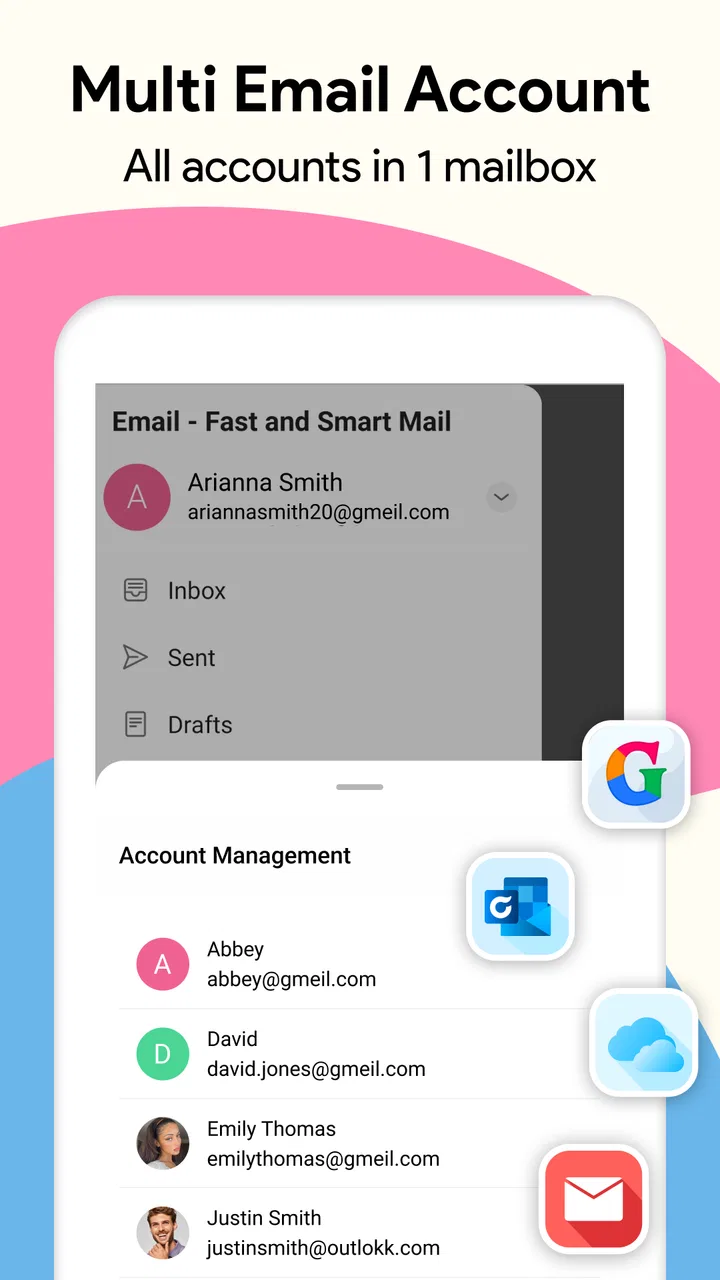
Absolutely, the app supports multiple email accounts, allowing you to manage different email providers such as Gmail, Yahoo, Outlook, and more in one place. This feature is perfect for users with personal and professional emails, providing a seamless experience without needing to switch apps.
03How secure is Email - Fast and Smart Mail?
Security is a top priority for Email - Fast and Smart Mail. The app employs strong encryption protocols to safeguard your data and ensure privacy. It also supports two-factor authentication, adding an extra layer of security to protect your information from unauthorized access.
04Can I customize notifications in Email - Fast and Smart Mail?
Yes, the app offers extensive customization options for notifications. You can choose to receive alerts for specific email accounts, set quiet hours, and even customize notification sounds. This flexibility ensures you stay informed without being overwhelmed by constant alerts.
05What types of attachments can I send and receive with Email - Fast and Smart Mail?
The app supports a wide range of attachment types, including documents, images, and audio files. Whether you're sending a presentation for work or sharing photos with friends, Email - Fast and Smart Mail makes it easy to handle various file types, ensuring efficient and effective communication.
Pros
- User-friendly interface with intuitive navigation.
- Supports multiple email accounts seamlessly.
- Fast push notifications for instant updates.
- Customizable themes and layout options.
- Advanced spam filter reduces unwanted emails.
Cons
- Occasional sync delays with certain providers.
- Limited integration with third-party apps.
- Ad-supported version can be distracting.
- No offline mode for email access.
- Some features locked behind a paywall.

Email - Fast and Smart Mail
Gallery